
The portfolio website making tutorial is very simple in design and is a landing page portfolio. You can see the website demo in your image. And click on the image to see the demo directly.
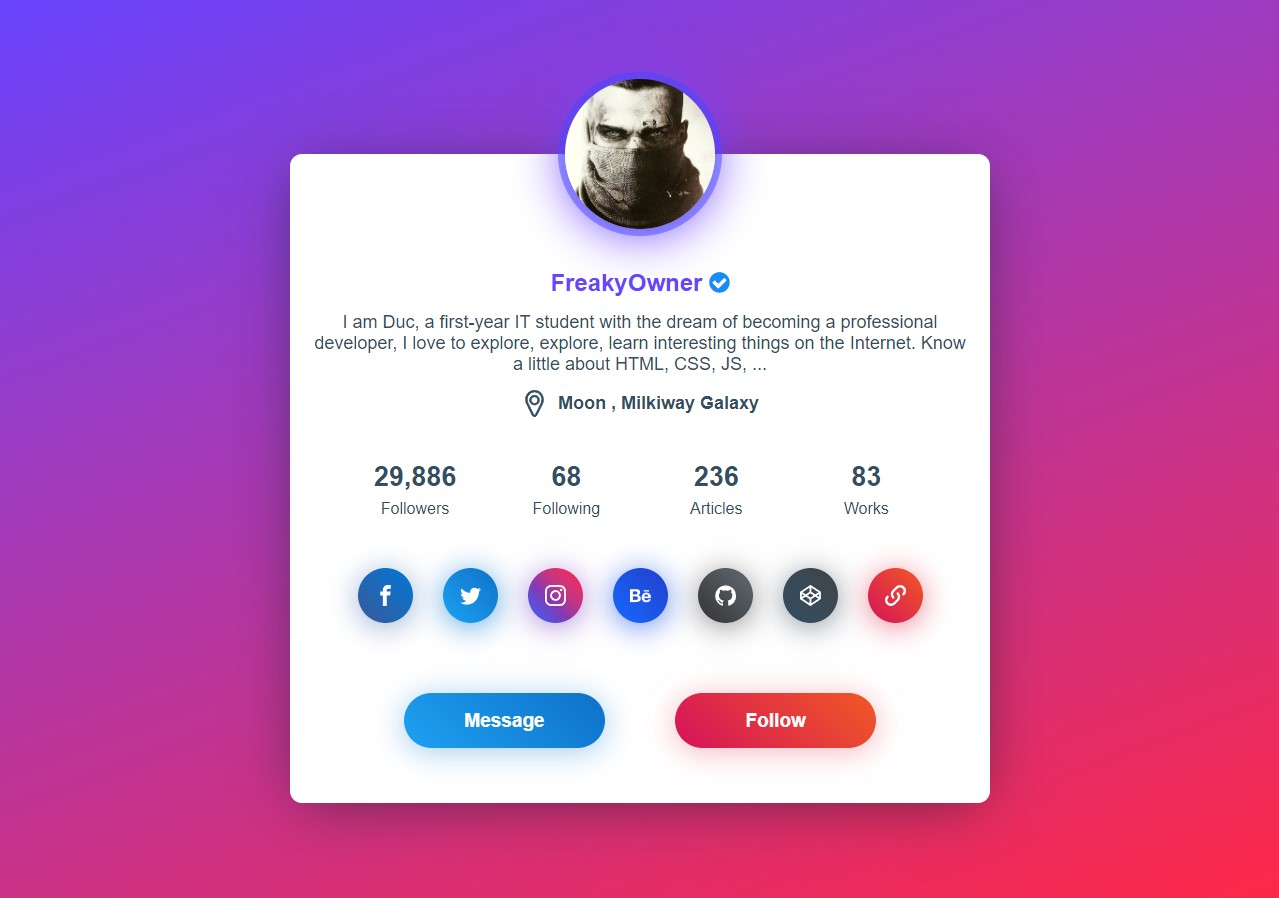
He saw the demo. Hope you like the demo. If you like it, then let's learn more about how to make such a website.
How to create your own simple design portfolio website in Blogger
Create a website by following the steps below.
Step 1:
The first thing we need to create such a website is a template. Visit this link to download the template. Direct download link is provided. Download Link –https://drive.google.com/file/d/1SPTGtanbHA-EcgVnDwdlLf5QcIK7U5v-/view?usp=drivesdk
Step 2:
Now go to Blogger and create a new site from there. Or select one of the pre-built sites. Hope you can complete this step so I have not given any screenshot in this step.
Step 3:
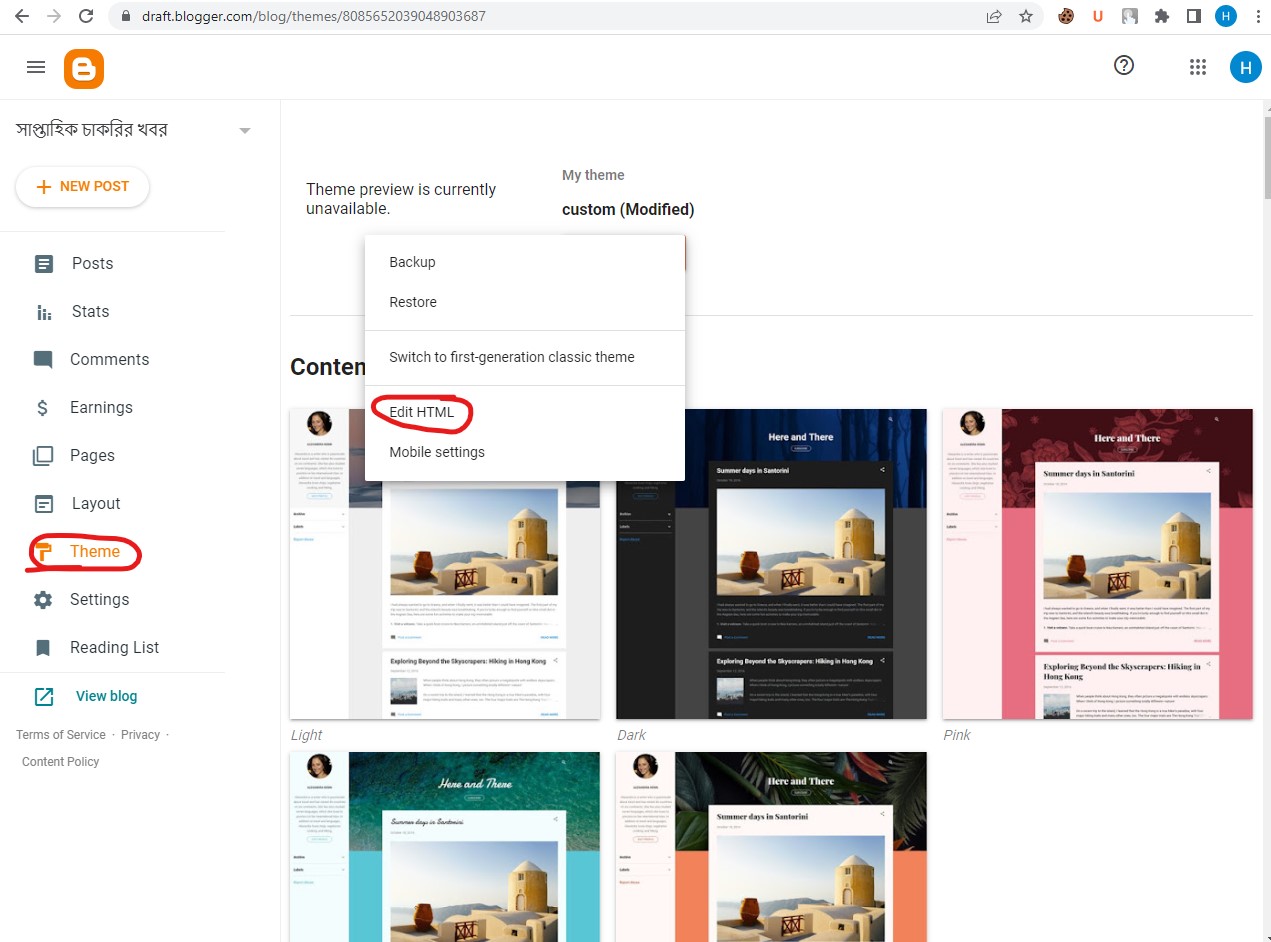
Now go to Themes as in the screenshot above and click on Edit Html from Themes.
Step 4:
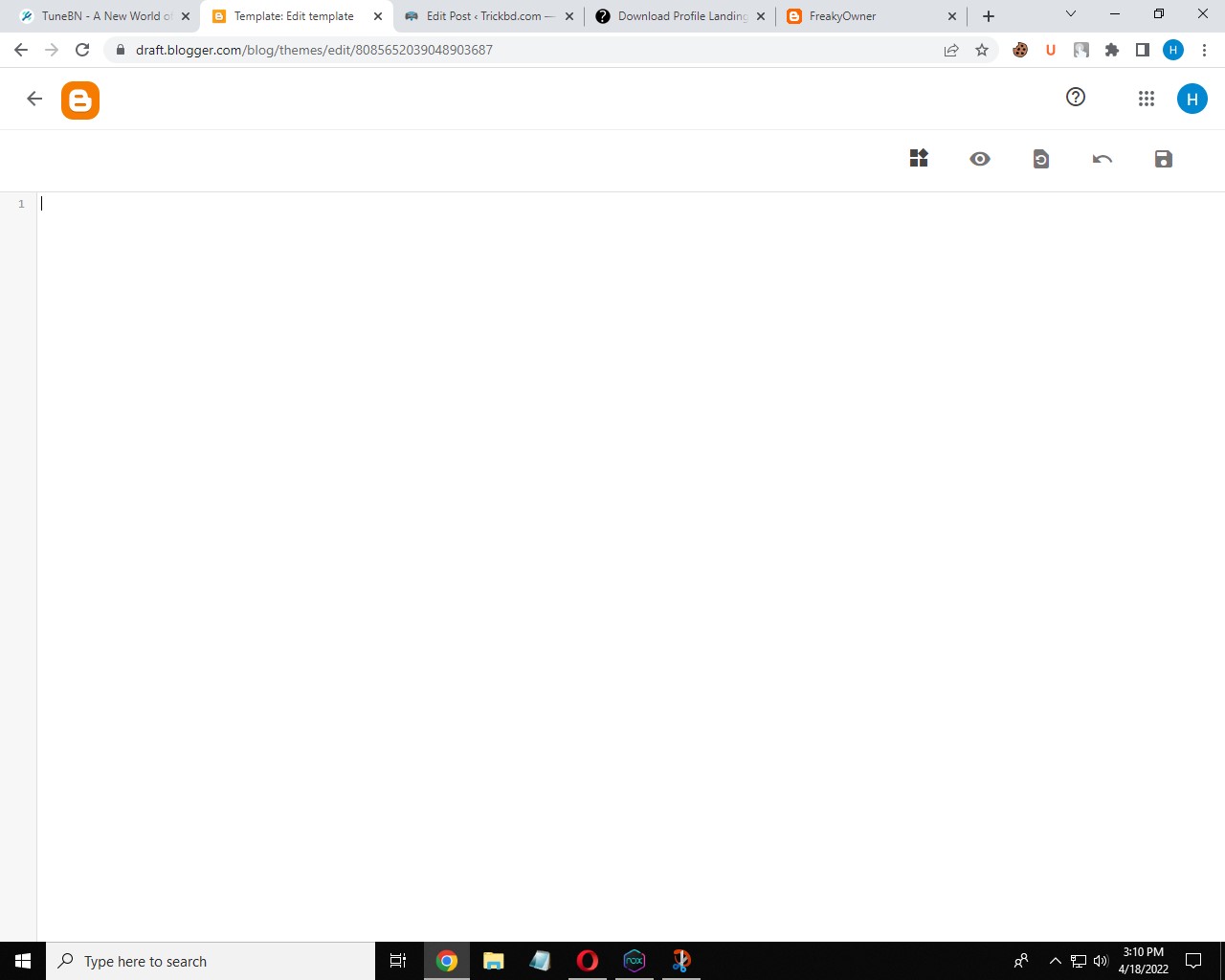
Go to Edi Html and delete all the codes as shown in the above screenshot.
Step 5:
After deleting, extract your downloaded template file. After extracting, open the template file with any code editor software. After opening the template file, copy all the codes.
Step 6:

Now come back to blogger and paste the copied codes.
Step 7:
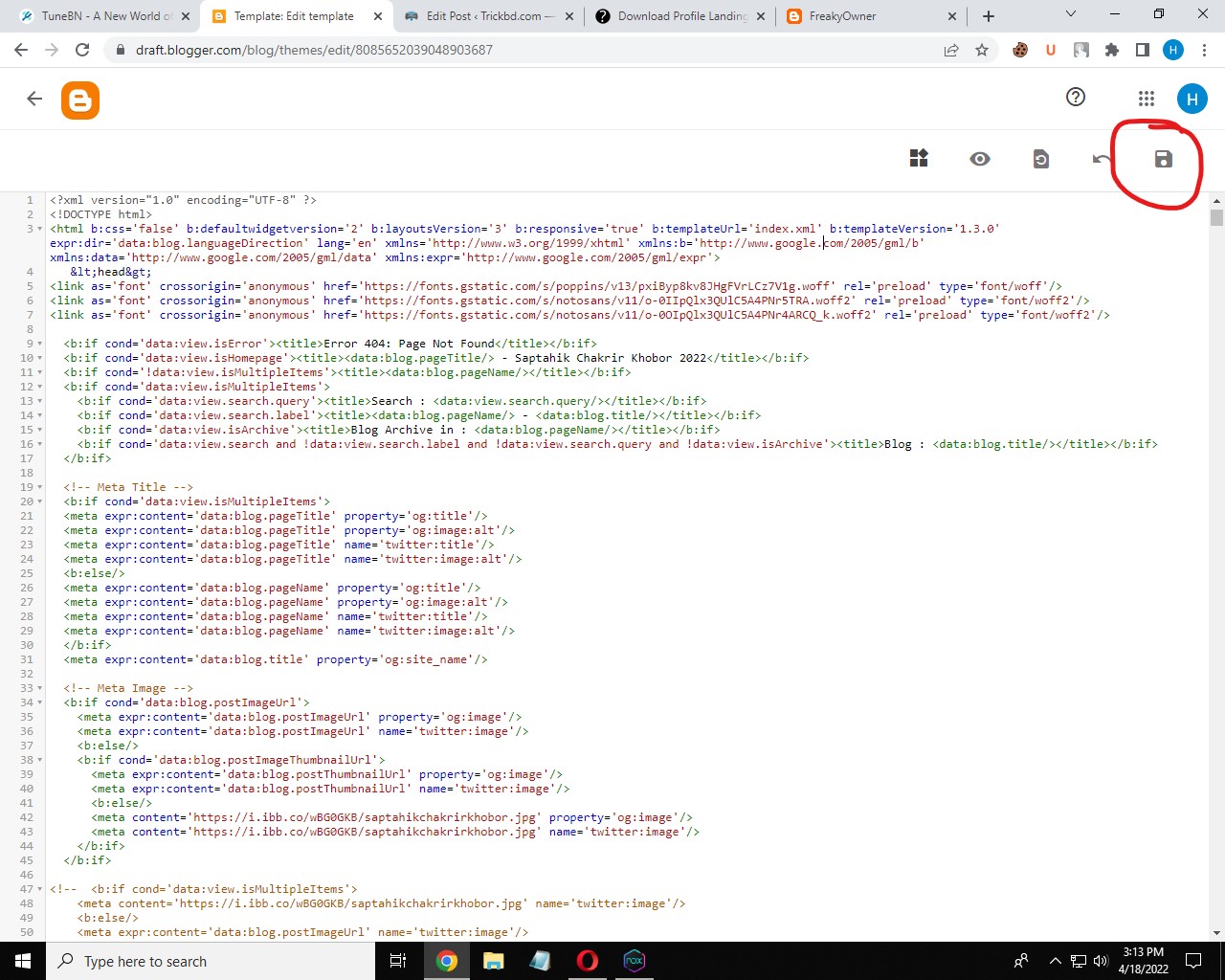
After pasting, save the codes by clicking on the save button.
